Start with a request
Create or change the flow through conversation, with context about the agent's role, available data, and expected outcome.
Create voice and text specialists that understand context, consult knowledge, use tools, act in systems, and bring in a person when the conversation calls for it.
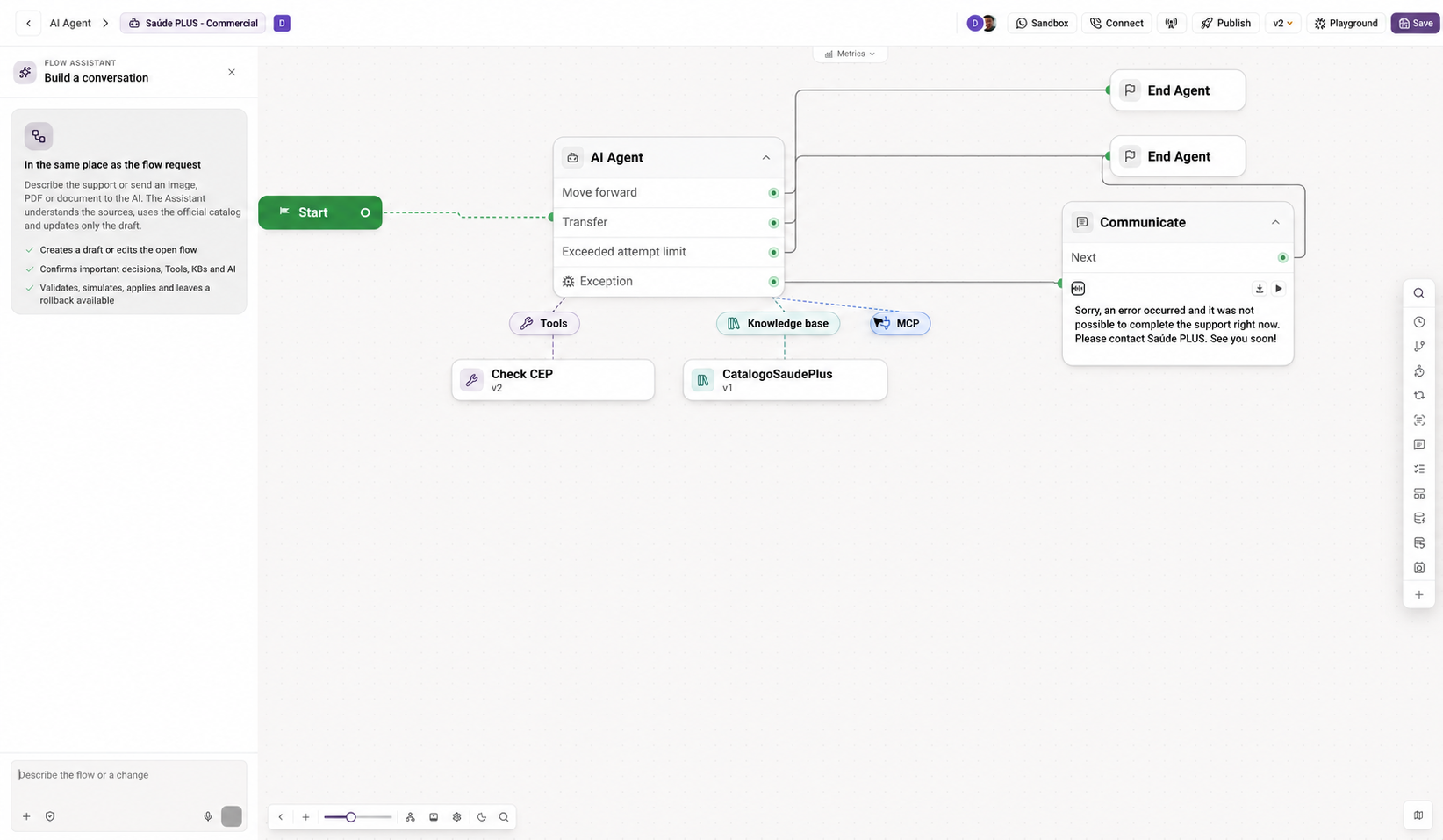
Describe in natural language what the agent needs to do. The Assistant organizes cards, connections, and settings on the canvas, shows what changed, and asks for confirmation when a decision requires care.
Create or change the flow through conversation, with context about the agent's role, available data, and expected outcome.
Review cards, outputs, tools, and paths before accepting. The flow remains visual, editable, and auditable.
Credentials, external connections, and publishing never happen behind the scenes. The final decision remains yours.
Model, identity, knowledge, tools, and exit criteria work together. This lets the agent know how to respond, when to take action, and when to hand off to a person.
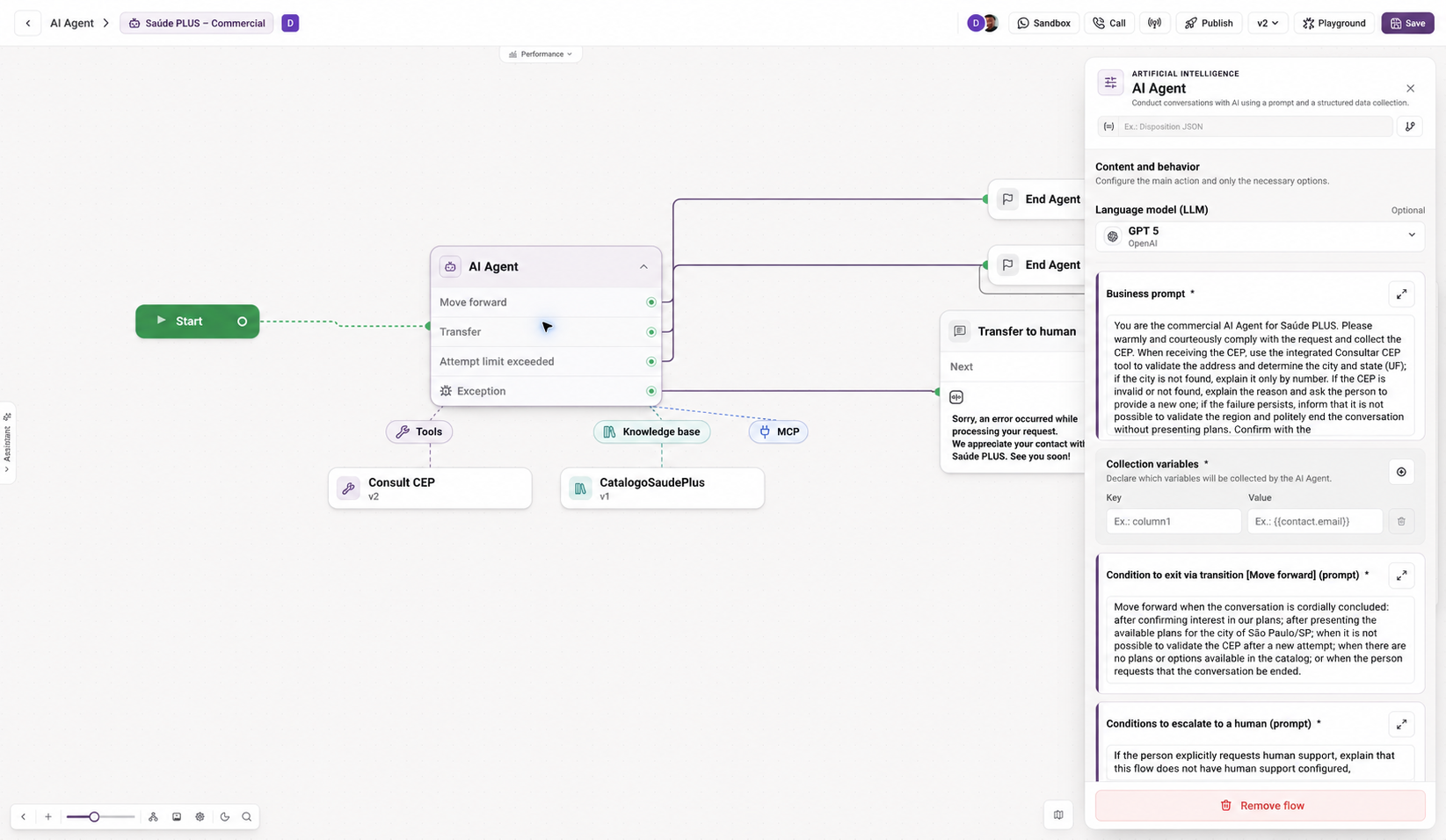
Define the role, objective, tone, boundaries, and guidance that keep behavior consistent.
Choose the right model and use session data to personalize the conversation and record outcomes.
Allow queries and actions only for the capabilities the agent needs to complete the work.
Model completion, exceptions, and human handoff without losing accumulated context.
These resources work together inside Agent Live. The agent checks what it knows, decides what to do, and returns a clear outcome for the rest of the journey.
Keeps context, preferences, and important information so the agent can continue the conversation without asking for everything again.
Perform actions in the flow: retrieve data, validate information, calculate, update systems, or trigger the next step.
Connects approved manuals, policies, product information, and documents to answer with the company's official information.
Standardizes connections to external systems and gives the agent new capabilities with controlled permissions and scope.
Each execution tells the canvas how the journey should continue.
Design the agent's work on the canvas, run real scenarios before publishing, and track conversations, events, variables, inputs, outputs, errors, and traces in the same environment.
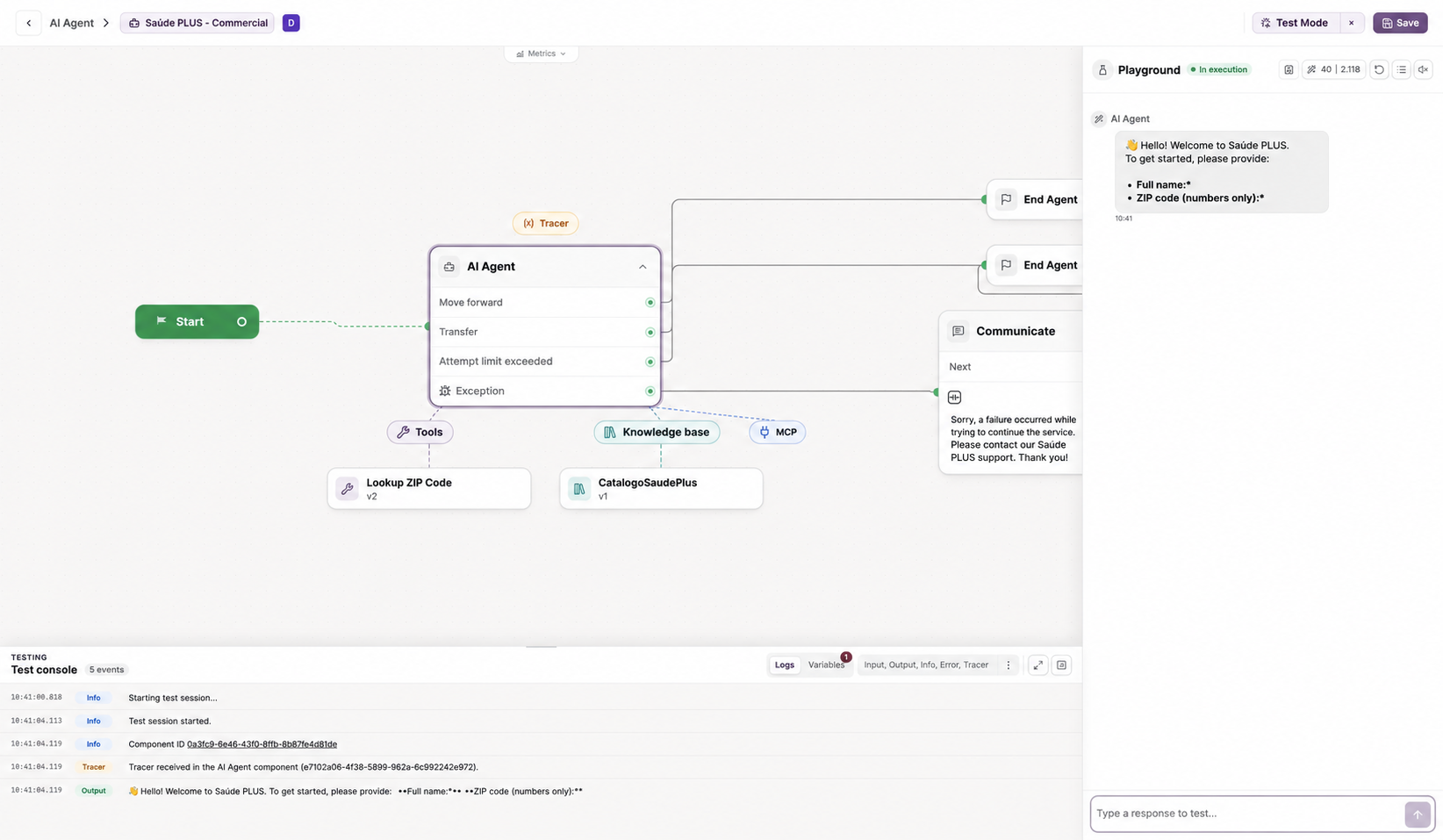
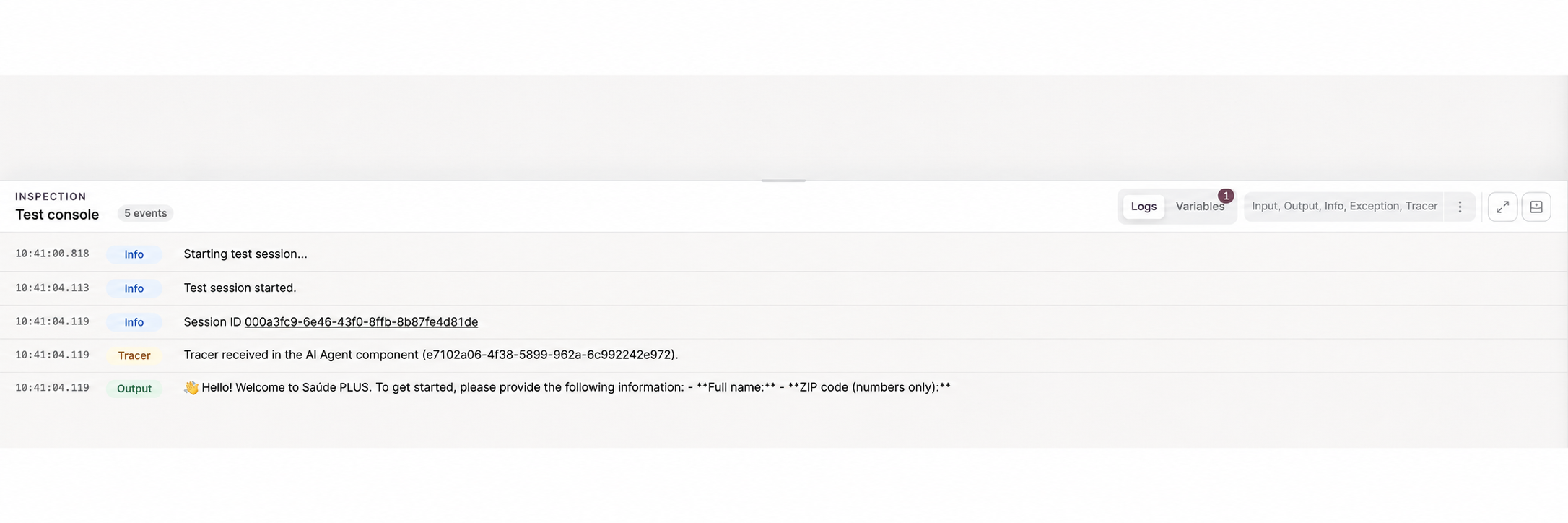
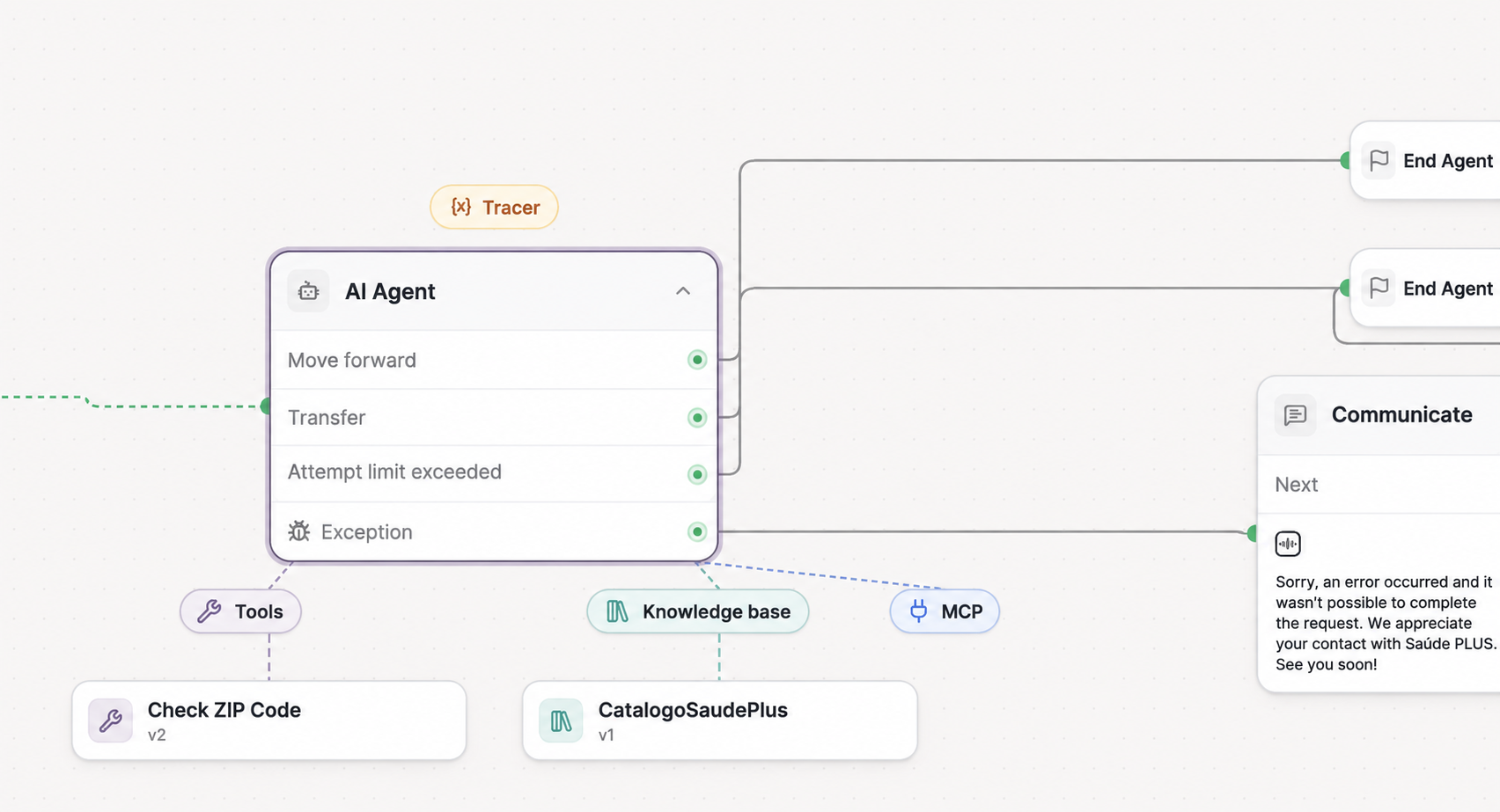
Connect agents, messages, conditions, JavaScript, tools, and channels in a flow the team can understand.
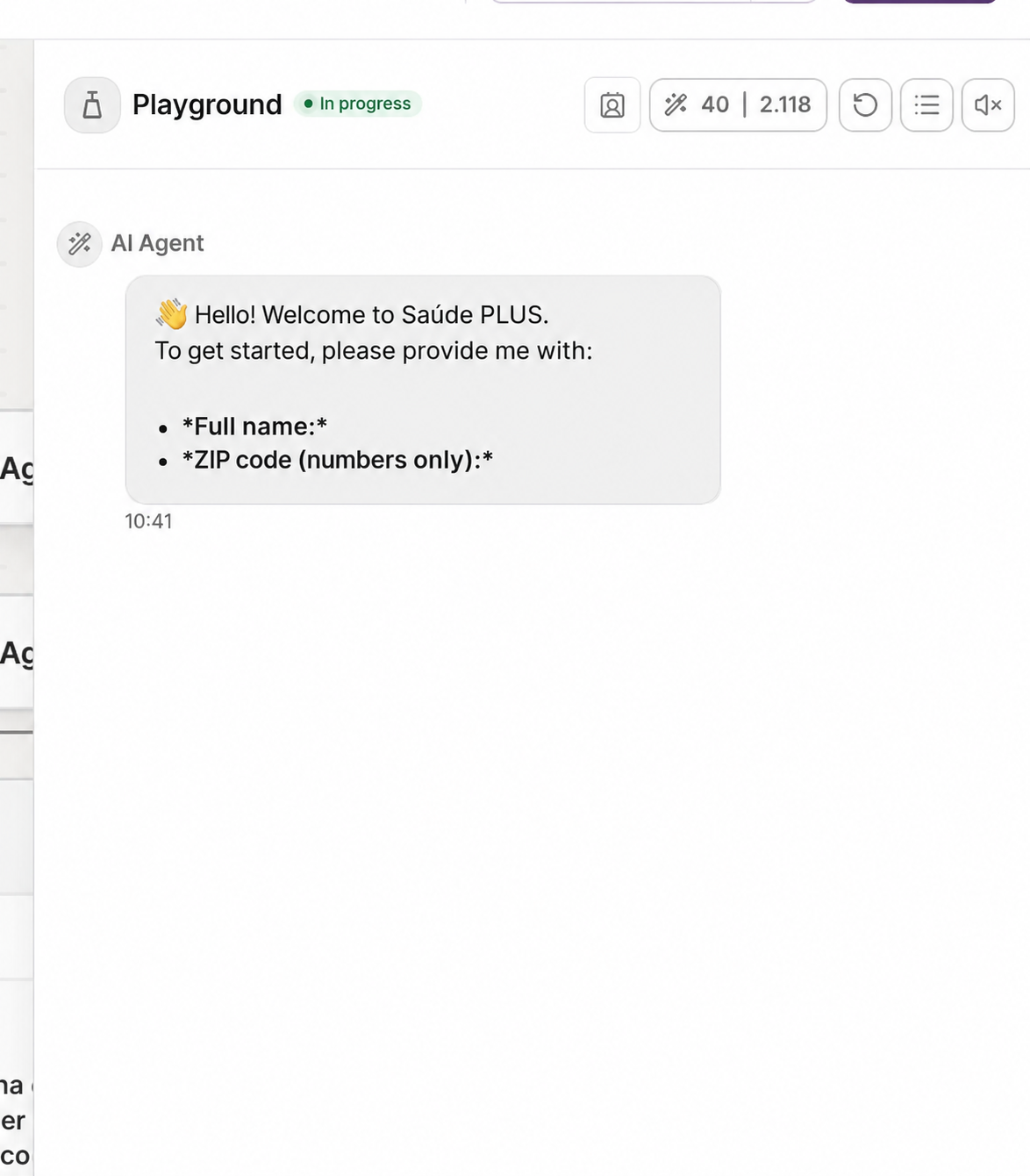
Talk to the running agent, validate paths, and compare behavior with the expected outcome.
Use logs, variables, events, and traces to understand each decision and locate failures with context.
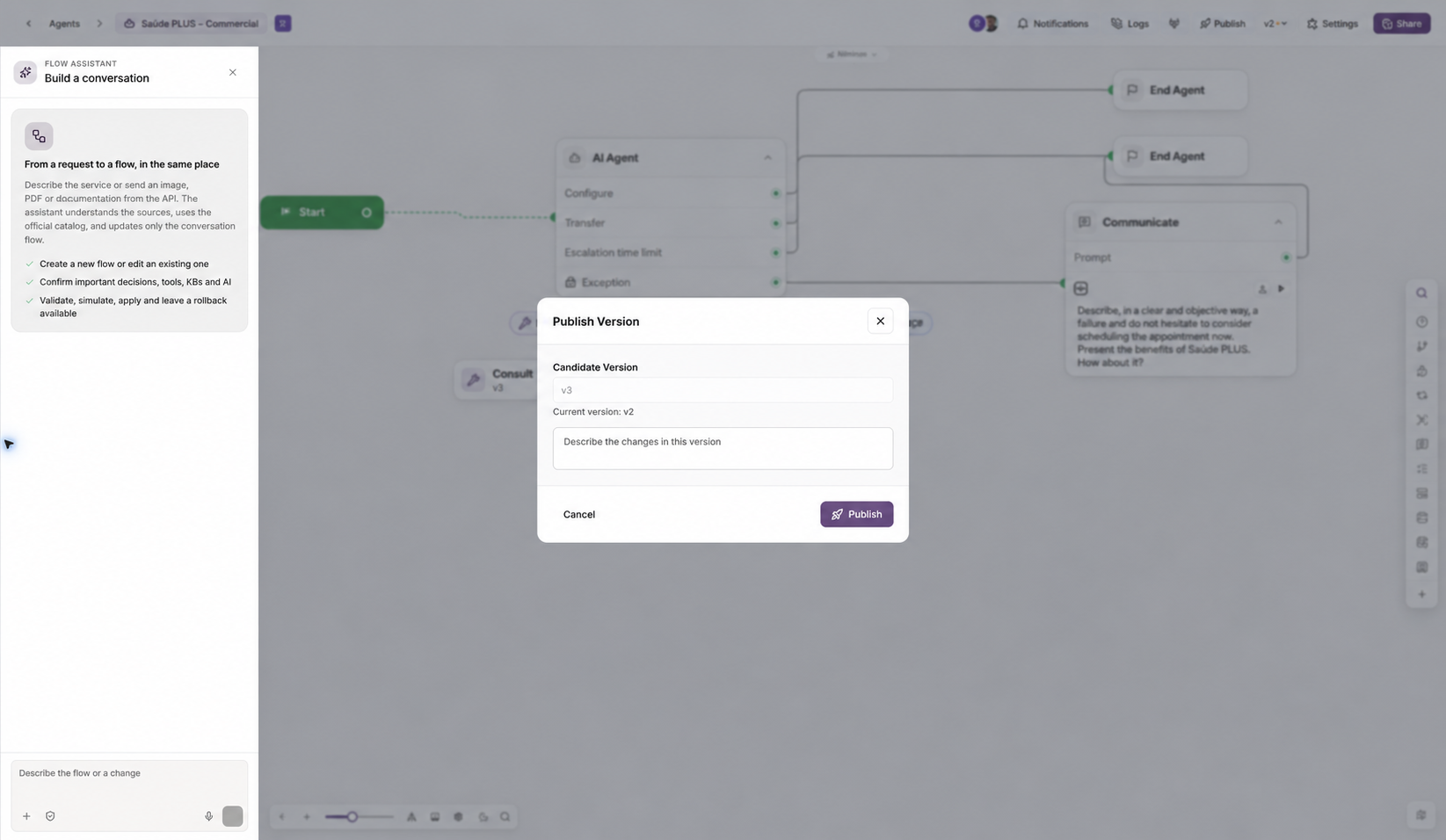
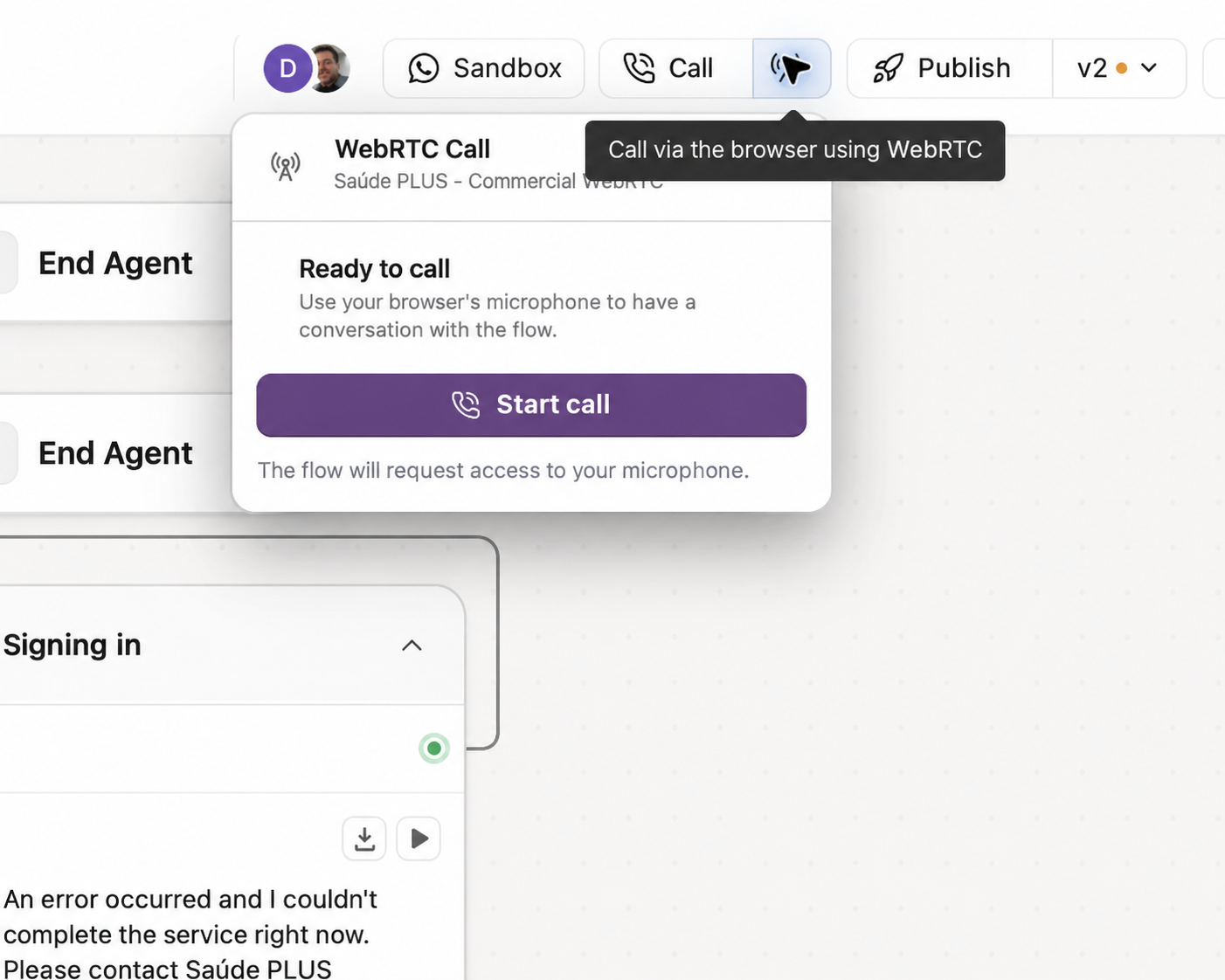
The same agent can be validated by text, phone call, or browser microphone. When it is ready, record the change and publish a new version.
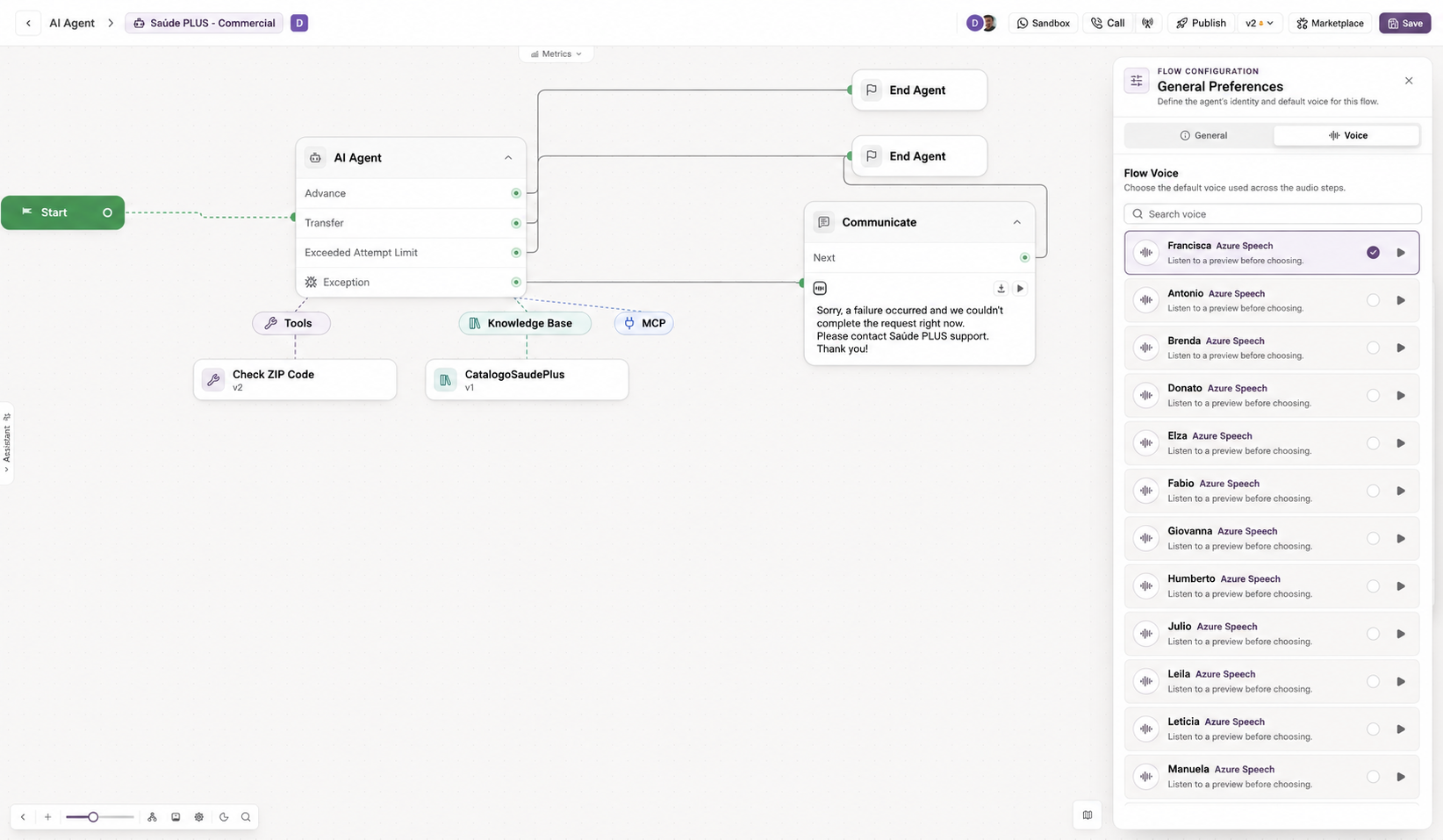
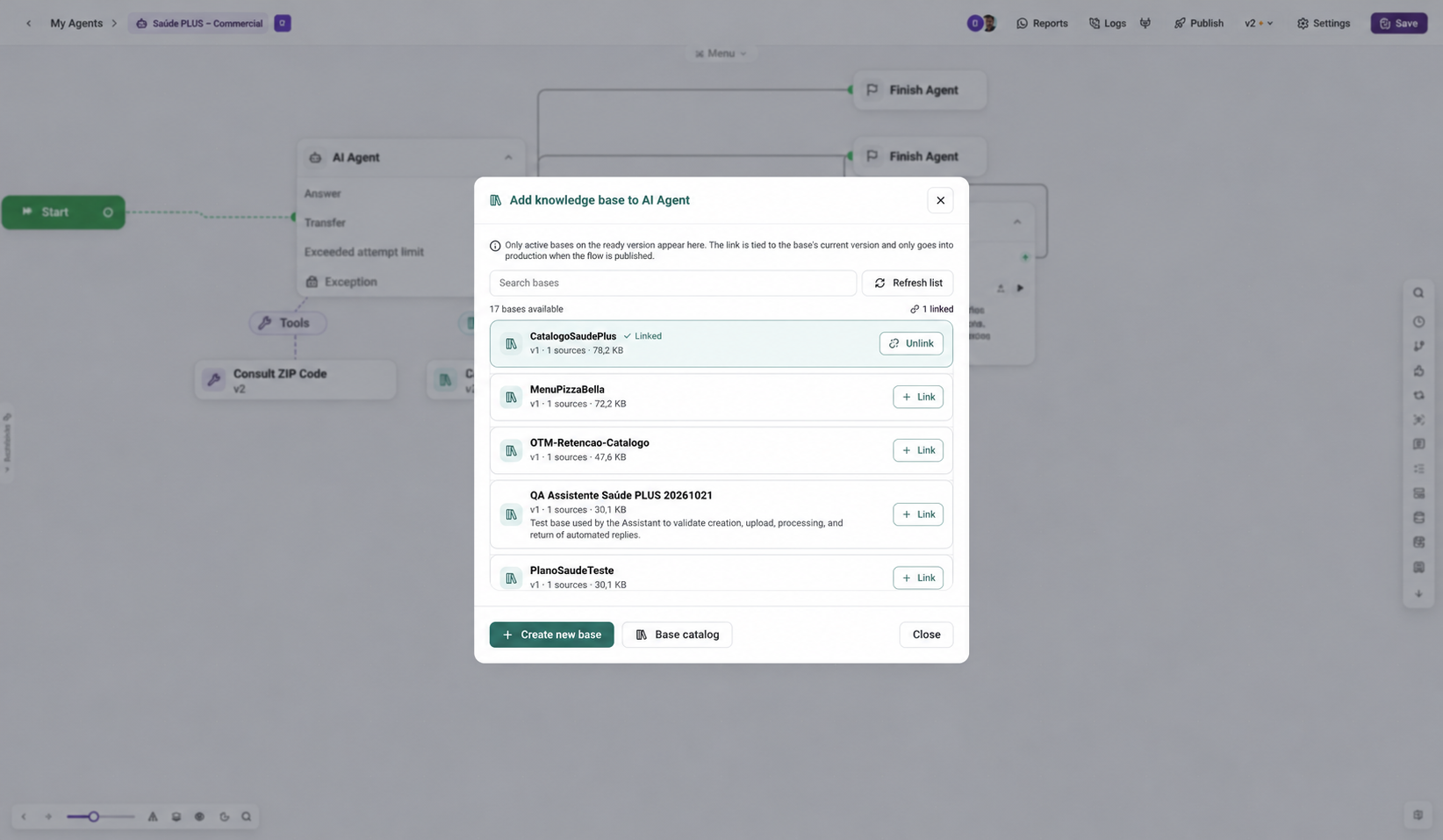
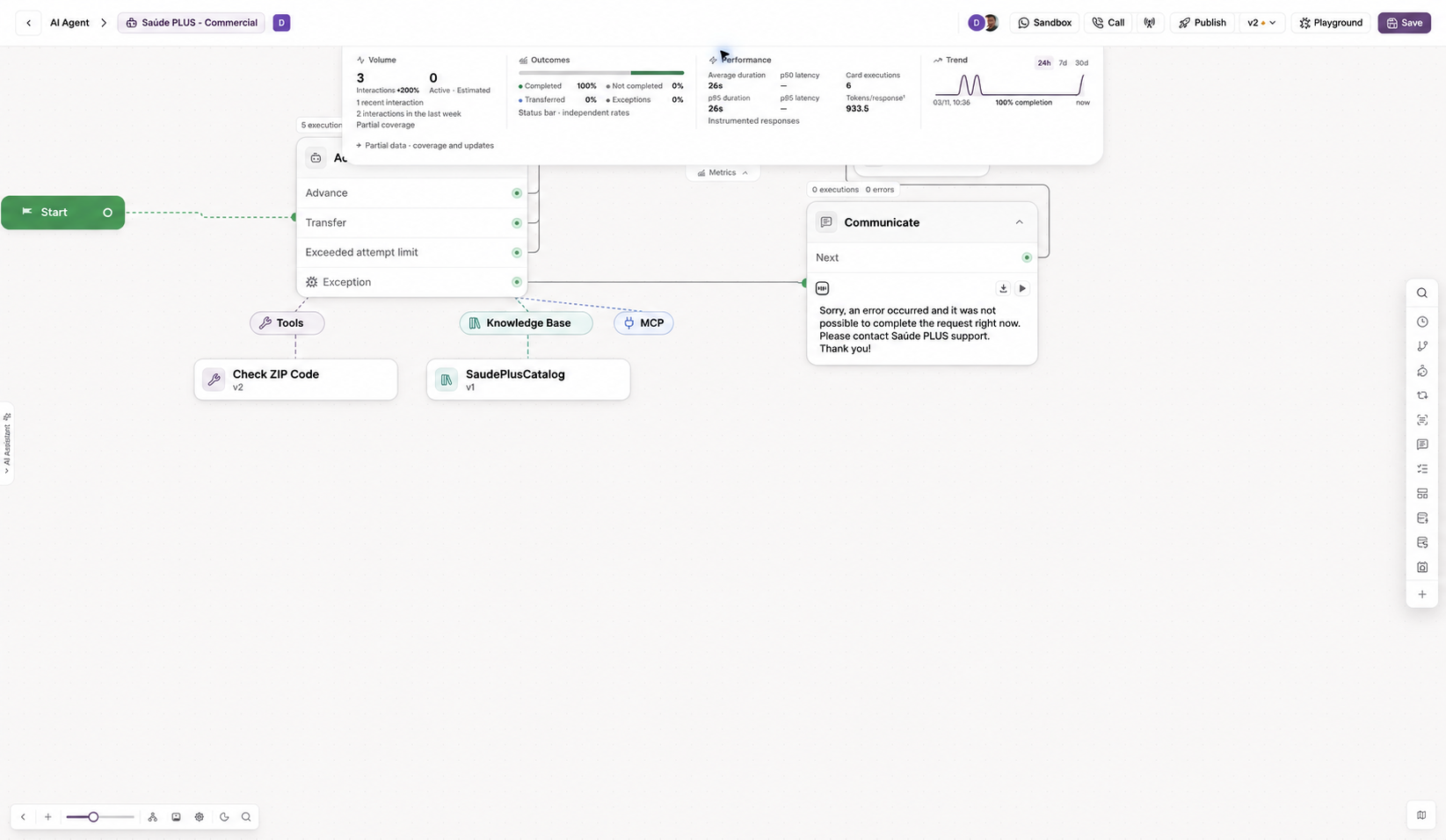
Through the Model Context Protocol, new tools enter the canvas as reusable capabilities. The company controls what each agent can retrieve or execute.
Provides up-to-date documentation for libraries, APIs, and frameworks in the conversation context. It is especially useful for technical agents, integration support, and code generation with current references.
A selection of the most commonly used connections. Other MCP servers can be added to fit the operation.
Retrieves and updates contacts, companies, deals, tickets, and sales activities.
Creates and tracks cards, lists, checklists, and owners in operational workflows.
Sends alerts, retrieves conversations, and involves the team when a decision needs people.
Finds authorized files and content to support answers and processes.
Retrieves repositories, issues, and pull requests for technical agents and development workflows.
Accesses pages, databases, and internal documentation according to the defined permissions.
Choose how conversations, calls, and events reach the agent. The same logic can be published at different points in the journey.
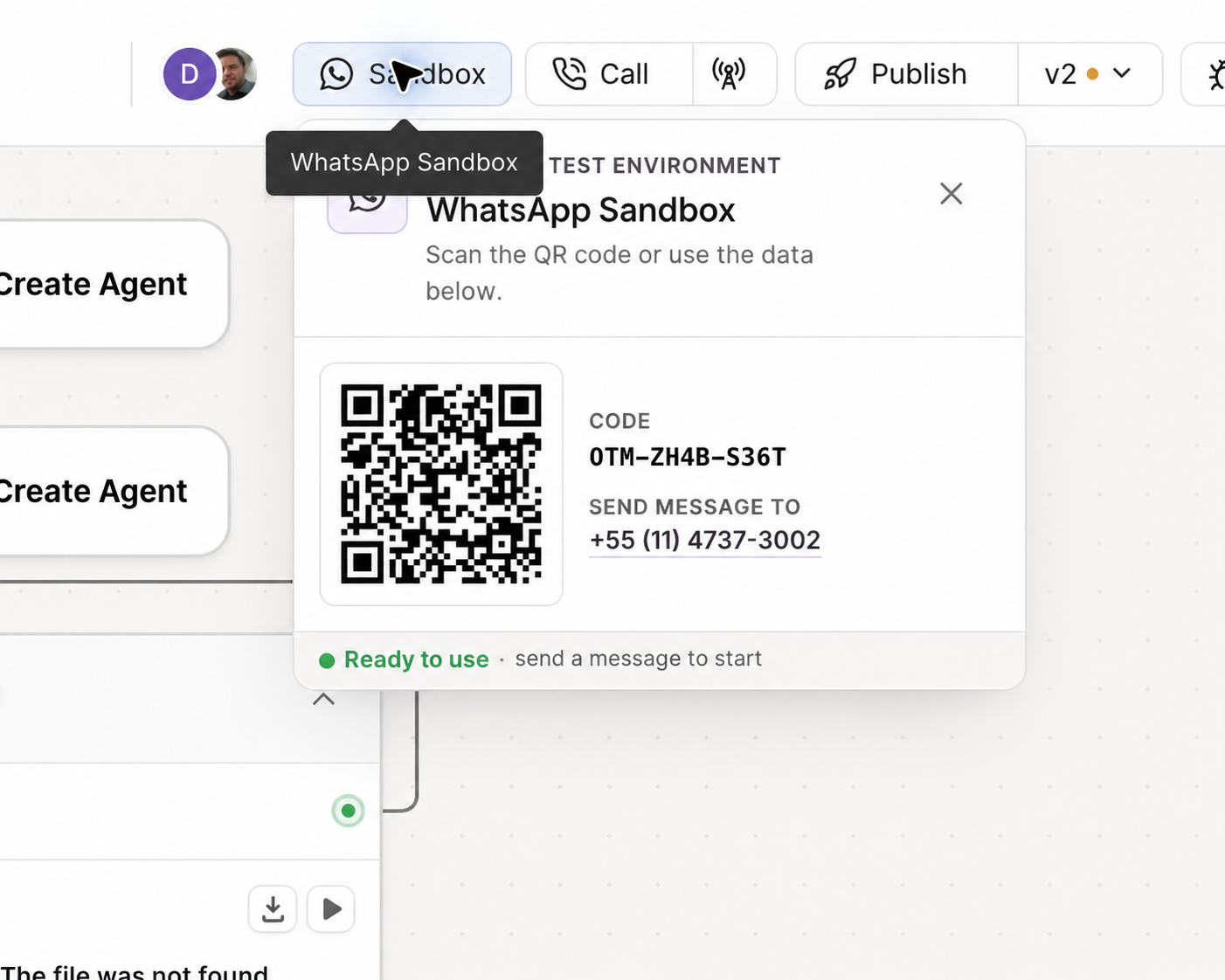
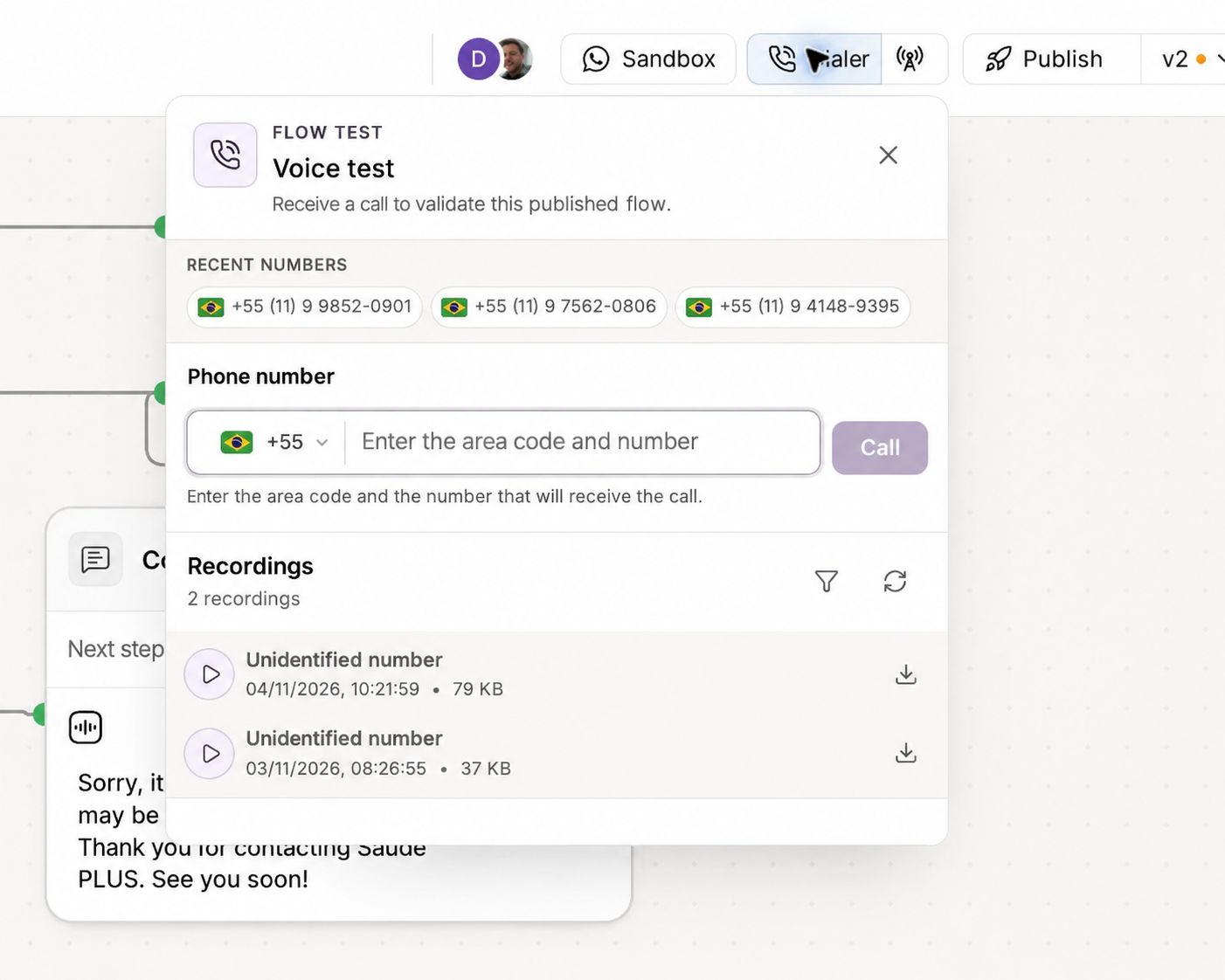
Start with a process that has a defined objective, accessible data, and a clear completion criterion. Then expand capabilities safely.
Identifies the customer, consults information, guides resolution, and transfers with history when needed.
Presents options, confirms data, records agreements, and routes exceptions to the right team.
Understands the need, consults the portfolio, collects information, and prepares the next commercial step.
Checks availability, confirms or rearranges schedules, and updates the systems involved in the journey.
Classifies requests, enriches data, triggers tools, and routes each case through the appropriate flow.
Consults up-to-date documentation and knowledge bases, runs permitted tools, and responds with traceability.
Build with your team or rely on an Ótima specialist dedicated to evolving your agents.
Answers about development, voice, integrations, testing and assisted operations.
You can build specialized voice or text agents for service, support, sales, collections, triage, scheduling and internal processes. Each agent has its own instructions, tools, knowledge and escalation criteria.
Yes. Identity, rules and context can be shared across channels while the experience is adapted for calls, WhatsApp, SMS, chat or API integrations.
Tools, APIs, functions, documents, memory and MCP servers can be connected as capabilities. The agent only uses the resources authorized for each stage of the conversation.
In the Playground, your team runs real scenarios and inspects inputs, outputs, variables, traces and errors. Behavior and integrations can be adjusted before a version goes live.
The agent transfers the conversation to the assigned team or specialist with the history, collected data, contact reason and next step. The customer does not need to start over.