Adaptive Predictive
Adjusts the rhythm according to availability, call duration, response rate and operational abandonment limit.
Predictive dialing and Power Dial with the control of a professional operation — now connected to AIs, human agents and systems via the Ótima Orchestrator.
Get to know the Dialer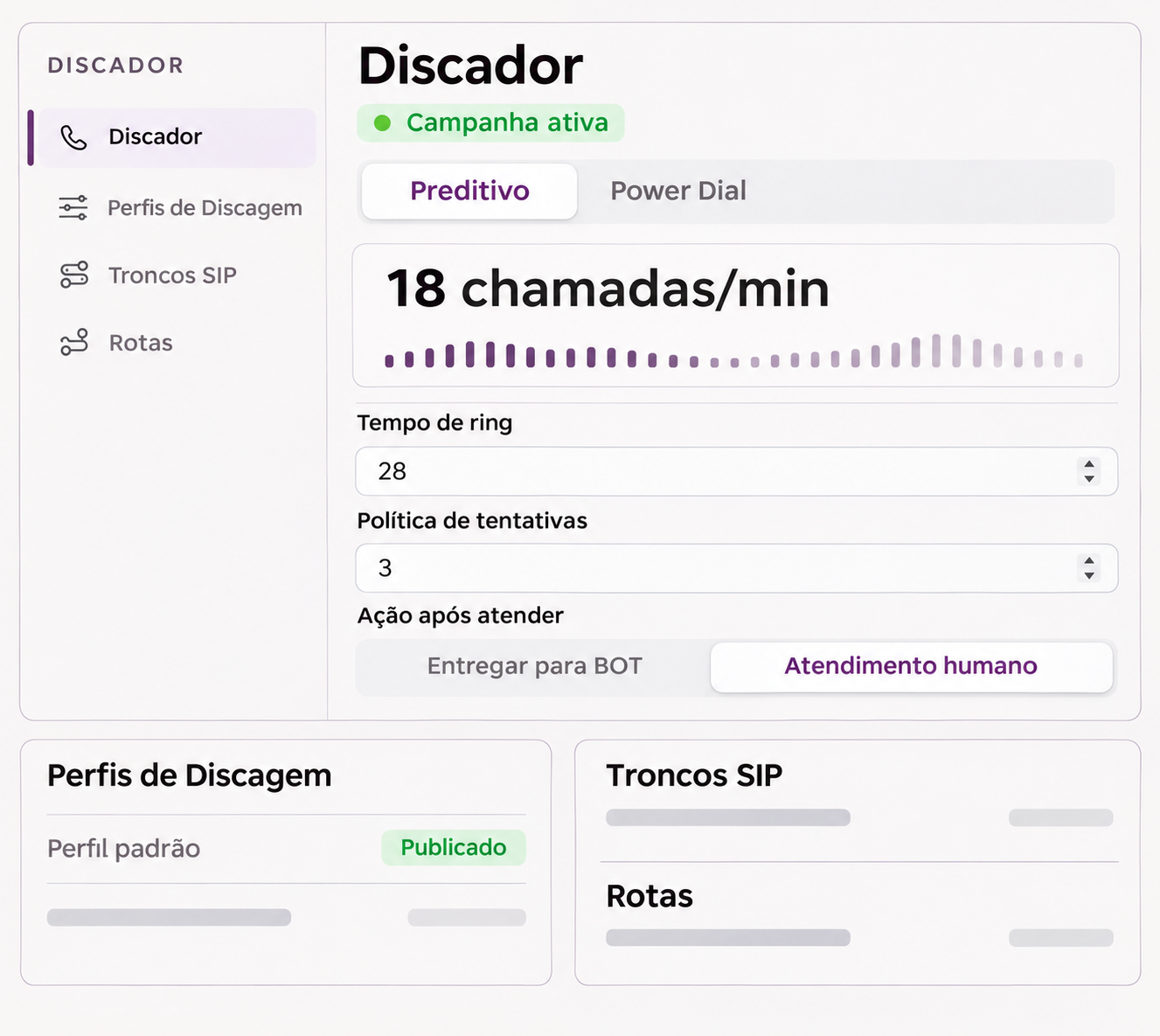
Increase the time spent talking, keep the pace under control and turn each attempt into an observable stage of the journey.
Adjusts the rhythm according to availability, call duration, response rate and operational abandonment limit.
Sets a controlled rate of calls per agent and maintains a constant cadence without relying on manual dialing.
Choose the right mode per campaign: one contact per agent, context before the call or click-to-call for sensitive cases.
Import and segment audiences, distribute priorities, control attempts and track available inventory.
Identify human service, voicemail, busy, fax, invalid number and failures to apply the correct next step.
Create rules by result, respect times and zones and schedule returns for any agent or the same person.
Configure numbering per campaign, routes, authentication and call presentation strategies.
Monitor live, record interactions, monitor tabulations and provide indicators for management and quality.
Apply blocklists, consent, contact windows, attempt limits, and audit trails per campaign.
Synchronize contacts, context, events and results with CRM, internal systems and operations tools.
Configure how, when, and through which route the operation dials. Each resource reduces manual work and puts calendars, attempts, restrictions, and telecom under the same governance.
Pacing, schedules, and rules for each attempt.
Combine mode, pacing, and behavior in a reusable configuration for different campaigns.
Define the days, hours, and windows in which each portfolio can receive contact attempts.
Handle holidays, pauses, and special dates without changing the operation's main schedule.
Control how many times, at what interval, and after which outcomes a contact can be dialed again.
Apply contact caps across campaigns and teams to prevent excessive attempts to the same person.
Shows how calendars, policies, and limits will be applied before the campaign goes live.
Protection applied before any dialing.
Centralize blocks, opt-outs, and imported restriction lists to protect every campaign in the operation.
Infrastructure for reliable, continuous call origination.
Configure SIP connectivity, authentication, capacity, and the providers used to originate calls.
Choose how each call is routed based on destination, availability, cost, identification, and failover.
An answered call is no longer just a connection. She enters a journey that meets the contact, consults data, chooses the specialist and records the result.
An automated call that plays a recorded message or text converted to voice directly to cell phones and landlines.
Fast, low-cost shipping for invoices, due dates and debt notices.
Disclosure of promotions, launches, events and delivery campaigns.
Appointment confirmations, appointment reminders, maintenance alerts and official announcements.
Define audience, rules, schedules, priorities, numbers and campaign objective.
The chosen mode controls the pace, availability and treatment of attempts in real time.
When answering, the journey directs to voice AI, human agent, IVR or a system action.
Results, tabs, and context return to Metrics, CRM, and next attempts.
Cadences, AI negotiation, transfer to specialists and scheduled return.
More useful contacts, CRM context and immediate distribution to the sales team.
Confirmations, searches, registration updates and retention campaigns.
Answers about dialing modes, pacing, governance, integrations and Voice Broadcasts.
Predictive dialing adjusts call volume to availability and operational results. Power Dial moves through the list in a controlled way, usually starting a new attempt when an agent is available.
Yes. The operation defines mode, priorities, schedules, time zones, attempts, callbacks, blocklists and contact limits. Pace can respond to outcomes and availability.
Yes. The Orchestrator can route the call to an AI agent, human queue, specialist or automation with the campaign and contact context.
It is an automated call that plays recorded audio or text converted to speech to mobile and landline numbers. It can support reminders, alerts, confirmations and authorized campaigns.
Yes. Attempts, answers, dispositions and outcomes can feed Metrics, CRM, webhooks and the rules for the next attempt.